A C# Switch (Statement)

Hello everybody,

Michael here, and in today’s post, we’ll present another type of conditional statement that serves as an alternative to the if-else statement-the switch statement.

Switch to the explanation

Now, what does the switch statement do and how does it differ from the if-else statement? Let’s analyze these similarities and differences:

  • Both the switch and if-else statements are conditionals, as both types of statements will execute certain sections of code based off of certain preprogrammed conditions.
  • To partition the code into sections based off of certain conditions, if-else statements would use brackets. Switch statements would use the case keyword (more on that later).
  • If-else statements are more versatile, as they can handle a wider range of logical operators (such as <, >, &, |, and !). Switch statements only work with constants (i.e. 3 or "four").

And now, a switch to the demo

Now let’s see a switch statement in action:

Console.WriteLine("Pick a number between 0 and 10");
String score = Console.ReadLine();
int scoreInt = int.Parse(score);
String review = "";

switch (scoreInt)
{
    case 0:
        Console.WriteLine("Unbearable");
        break;
    case 1:
        Console.WriteLine("Unbearable");
        break;
    case 2:
        Console.WriteLine("Painful");
        break;
    case 3:
        Console.WriteLine("Awful");
        break;
    case 4:
        Console.WriteLine("Bad");
        break;
    case 5:
        Console.WriteLine("Mediocre");
        break;
    case 6:
        Console.WriteLine("Okay");
        break;
    case 7:
        Console.WriteLine("Good");
        break;
    case 8:
        Console.WriteLine("Great");
        break;
    case 9:
        Console.WriteLine("Amazing");
        break;
    case 10:
        Console.WriteLine("Masterpiece");
        break;
}

Pick a number between 0 and 10
5
Mediocre

In this example, we’re asking the user to pick a number between 0 and 10 and-after parsing their input as an integer like we did with the examples in the previous post-printing an output on the console based off of the number that was typed. In this instance, I typed 5 and got the output Mediocre.

How does the script know which output to print onto the console. The 11 case statements in the script check the value the user inputted and determine what get printed to the console.

  • I based this example off of IGN’s rating scale-if you don’t know what IGN is, it’s partially a review site that reviews TV, movies, video games, comic books and tech using a scale from 0-10 (10 being the best). Yes, both 0 and 1 are considered Unbearable on IGN’s rating system. It’s also partially a pop culture news site that delivers news on TV, movies, video games, comic books and tech.
  • Yes, I know a user can type in something other than a whole number from 0-10, but I can cover error handling in another lesson.

Keyword: break

You likely also noticed something else in the example above-the keyword break. What does this keyword do? It simply tells the script to stop executing the switch statement code once a match is found.
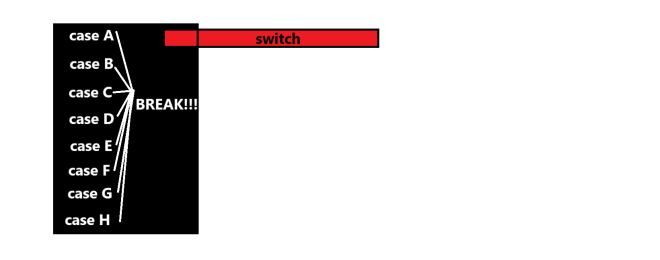
Also, as always, here’s the link to the script in my GitHub-https://github.com/mfletcher2021/blogcode/blob/main/Switch.cs

Thanks for reading,

Michael

If, Else, C#

Hello readers,

Michael here, and in today’s post, we’re going to explore the wonderful world of if-else statements (aka conditionals) in C#.

Now, you’ve seen me cover conditionals in Java and Python, but let’s see how we do it in C#.

A truth tables refresher

One thing that is important when writing conditionals or Boolean statements in programming is the concept of truth tables, like so:

The three most common logical operators you will likely use when writing Boolean statements and conditionals in programming are & (and), | (or) and ! (not).

Here are some other things to keep in mind with truth tables:

  • In C#, much like in other programming tools we’ve covered, statements are read from left to right for the most part, so the leftmost Boolean statements will be evaluated first.
  • One exception to what I just mentioned-if you have a statement in parentheses, that will be the first one read. For instance, if your statement goes A & B | (C & D), C & D would be read first as it is the statement in parentheses.
  • Following what I just said, if you have several statements inside several nested parentheses, the innermost statement will be read first. For instance, if your statement goes A | B | C & (D & (E | F)), E | F would be read first as it is the statement in the innermost pair of parentheses.

A basic if-else statement, C# style

Now, how do we write a basic if-else statement, C# style. Take a look at my example below:

Console.WriteLine("Pick a number between 0 and 100");
String userNumber = Console.ReadLine();
int userNumberInt = int.Parse(userNumber);
String grade = "";

if (userNumberInt >= 70 | userNumberInt <= 100)
{
    grade = "pass";
}
else
{
    grade = "fail";
}

Console.WriteLine("Your grade is a " + grade);

Pick a number between 0 and 100
72
Your grade is a pass

Using the American school grading system as an example, in this script I ask the user for a number from 0 to 100, which represents possible class grades. If the number is between 70 and 100, the grade is set to pass (think of it as needing a C- to pass). Otherwise, the grade is set to fail (think of it as a D+ or lower is failing).

  • You might be wondering about the int.Parse([insert string here]) method. This is one way to convert strings in C# into integers. It’s also known by the name typecasting, much like in Python when we converted strings into integers simply by typing int([string here]).

If, Else, Nested, C#

Now, as we saw in some of the other tools I’ve covered, it is possible to nest if-else statements inside other if-else statements. How can we do so? Take a look at the code below:

Console.WriteLine("Pick a number between 0 and 100");
String userNumber = Console.ReadLine();
int userNumberInt = int.Parse(userNumber);
String grade = "";

if (userNumberInt >= 90 & userNumberInt <= 100)
{
    if (userNumberInt >= 97 & userNumberInt <= 100)
    {
        grade = "A+";
    }
    else if (userNumberInt >= 93 & userNumberInt <= 96)
    {
        grade = "A";
    }
    else
    {
        grade = "A-";
    }
}

else if (userNumberInt >= 80 & userNumberInt <= 89)
{
    if (userNumberInt >= 87 & userNumberInt <= 89)
    {
        grade = "B+";
    }
    else if (userNumberInt >= 83 & userNumberInt <= 86)
    {
        grade = "B";
    }
    else
    {
        grade = "B-";
    }
}

else if (userNumberInt >= 70 & userNumberInt <= 79)
{
    if (userNumberInt >= 77 & userNumberInt <= 79)
    {
        grade = "C+";
    }
    else if (userNumberInt >= 73 & userNumberInt <= 76)
    {
        grade = "C";
    }
    else
    {
        grade = "C-";
    }
}

else if (userNumberInt >= 60 & userNumberInt <= 69)
{
    if (userNumberInt >= 67 & userNumberInt <= 69)
    {
        grade = "D+";
    }
    else if (userNumberInt >= 63 & userNumberInt <= 66)
    {
        grade = "D";
    }
    else
    {
        grade = "D-";
    }
}

else
{
    grade = "F";
}

Console.WriteLine("Your grade is a " + grade);

Pick a number between 0 and 100
88
Your grade is a B+

In this example, I added more dimensions to the grade variable by adding different scenarios for this script. In other words, in this example the grade won’t simply be set to pass or fail but rather to a letter value based on the inputted number. For instance, inputting a 71 will yield a C- but a 78 will yield a C+. For this example, I chose 88 and got a grade of B+.

  • For all my non-American readers, there is no such thing as an F+ or F-, hence why I don’t have any nested conditionals for the F scenario. Anything under 60 would be a F in the American grading system.

Michael’s Programming Bytes 2025 Feedback

Hello readers,

Michael here, and I know the link to my survey that I put out in the previous post didn’t work (my apologies for that), but I would certainly appreciate it if you could take some time (not even 10 minutes) to complete my quick, easy-peasy 2025 feedback survey-https://forms.office.com/Pages/ResponsePage.aspx?id=DQSIkWdsW0yxEjajBLZtrQAAAAAAAAAAAAZ__sEfXLlUMUxENjZIN0IxWDlNODJWN0RKOVdFTlRGRy4u.

Rest assured, I’ll only use this data to help improve my slate of content going forward. That’s it. It’s my way of getting your feedback on my content slate.

Also, here is my script on GitHub-https://github.com/mfletcher2021/blogcode/blob/main/IfElse.cs. Both examples are on the same script, but I did note which code belongs to which example in the comments so if you wish to test out either example, feel free to comment out the code for the example your not testing.

Thanks for reading,

Michael

C# User Input And Your User Input For Possible 2025 Content

Hello everybody,

Happy new year! It’s Michael, and I hope you all had a very merry, very festive holiday season with your loved ones. I’m back from my holiday break and ready to open up the Michael’s Programming Bytes shop for 2025! I can’t wait to share all of the amazing content I have planned for this year.

So, how will I begin my blogging year? I’m going to demonstrate how to perform user input with C#!

C# User Input

Now, how do we perform user input with C#? Here’s a little demonstration:

// Asking user input for today's date
Console.WriteLine("Please enter today's date");
string todaysDate = Console.ReadLine();
Console.WriteLine("Today's date is: " + todaysDate);

Please enter today's date
January 7 2025
Today's date is: January 7 2025

Here we have a simple C# program asking for the user’s input for today’s date. All it took to make this program were three lines of code-one to ask the user to Please enter today's date, one to store the user’s input, and one to print out the user’s input along with the text Today's date is: . Pretty simple stuff right?

  • Yes, I know C# can do date-time formatting, much like other languages. However, I just used a string for the date for simplicity’s sake.

Your (User) Input For Michael’s Programming Bytes

Yes, I chose a demonstration on C# user input for my first 2025 post in part for a clever segue into another thing I want to do on this blog. I realized I’ve never tried to gather user/reader input during this blog’s almost 7-year run, so for the first time ever, I’m going to launch a survey to gather feedback from readers like you about your ideas, thoughts, and honest opinions on my content. I will take a look at the survey to shape my blog for 2025 and beyond.

Anyway, here’s the link to the survey. Feel free to complete it whenever you get a chance! I’m definitely curious as to what you think of my blog’s content run so far (and with 177 posts, there’s a lot of content to go around): https://forms.office.com/Pages/ResponsePage.aspx?id=DQSIkWdsW0yxEjajBLZtrQAAAAAAAAAAAAZ__sEfXLlUMUxENjZIN0IxWDlNODJWN0RKOVdFTlRGRy4u

Thank you for taking the time to fill out the survey! I can’t wait to share more amazing programming content with you all in 2025!

Also, here’s the link to this lesson’s C# script on my GitHub-https://github.com/mfletcher2021/blogcode/blob/main/UserInputTest.cs.

As always, thank you for reading!

Michael