Hello everybody,
Michael here, and in today’s post, we’ll present another type of conditional statement that serves as an alternative to the if-else statement-the switch statement.
Switch to the explanation
Now, what does the switch statement do and how does it differ from the if-else statement? Let’s analyze these similarities and differences:
- Both the switch and if-else statements are conditionals, as both types of statements will execute certain sections of code based off of certain preprogrammed conditions.
- To partition the code into sections based off of certain conditions, if-else statements would use brackets. Switch statements would use the
casekeyword (more on that later). - If-else statements are more versatile, as they can handle a wider range of logical operators (such as
<,>,&,|, and!). Switch statements only work with constants (i.e.3or"four").
And now, a switch to the demo
Now let’s see a switch statement in action:
Console.WriteLine("Pick a number between 0 and 10");
String score = Console.ReadLine();
int scoreInt = int.Parse(score);
String review = "";

switch (scoreInt)
{
    case 0:
        Console.WriteLine("Unbearable");
        break;
    case 1:
        Console.WriteLine("Unbearable");
        break;
    case 2:
        Console.WriteLine("Painful");
        break;
    case 3:
        Console.WriteLine("Awful");
        break;
    case 4:
        Console.WriteLine("Bad");
        break;
    case 5:
        Console.WriteLine("Mediocre");
        break;
    case 6:
        Console.WriteLine("Okay");
        break;
    case 7:
        Console.WriteLine("Good");
        break;
    case 8:
        Console.WriteLine("Great");
        break;
    case 9:
        Console.WriteLine("Amazing");
        break;
    case 10:
        Console.WriteLine("Masterpiece");
        break;
}

Pick a number between 0 and 10
5
Mediocre
In this example, we’re asking the user to pick a number between 0 and 10 and-after parsing their input as an integer like we did with the examples in the previous post-printing an output on the console based off of the number that was typed. In this instance, I typed 5 and got the output Mediocre.
How does the script know which output to print onto the console. The 11 case statements in the script check the value the user inputted and determine what get printed to the console.
- I based this example off of IGN’s rating scale-if you don’t know what IGN is, it’s partially a review site that reviews TV, movies, video games, comic books and tech using a scale from 0-10 (10 being the best). Yes, both 0 and 1 are considered Unbearable on IGN’s rating system. It’s also partially a pop culture news site that delivers news on TV, movies, video games, comic books and tech.
- Yes, I know a user can type in something other than a whole number from 0-10, but I can cover error handling in another lesson.
Keyword: break
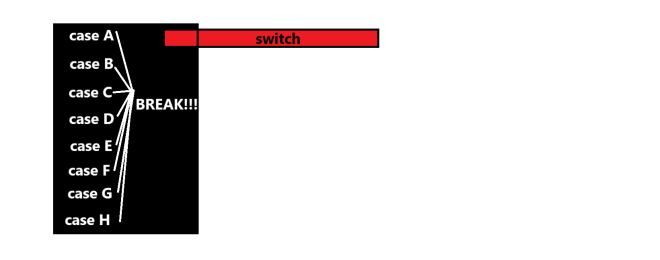
You likely also noticed something else in the example above-the keyword break. What does this keyword do? It simply tells the script to stop executing the switch statement code once a match is found.

Also, as always, here’s the link to the script in my GitHub-https://github.com/mfletcher2021/blogcode/blob/main/Switch.cs
Thanks for reading,
Michael